MPE Insight
In the codexAudio ProductionDesign & IllustrationEducation

MPE Insight

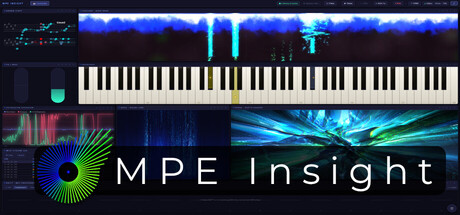
A real-time MPE performance environment. Pressure, pitch bend and timbre drive 21 live AURA visual engines, CASCADE note-rain and the FORGE depth engine, plus keyboard, staff and expression analysis modules. Not a visualizer: a space where sound and image share one data stream.

DEV: Christophe KalkauPUB: Christophe KalkauAppID 4919520
DEVELOPER POSTSevery ~11d·last 27d ago·10 recorded in 6 months

Is MPE Insight still being updated? — the short answer, with the evidence.

Catch up before you play

Developer activity at a glance

Catch up on MPE Insight with the developer’s own announcements. Start with the newest recorded post, then explore the details before you return.

Newest identified developer post

Scale Lock and a chord on every key

· Published by the developer

3recent developer posts shown belowSelected from the developer record, separately from press coverage. Announcements are not necessarily shipped patches.
Last successful news check: This is our collection date, not the date of the latest patch.
  1. Newest in this record ·

    Scale Lock and a chord on every key

    From the recorded announcement

    Scale Lock and a chord on every key Scale Lock. Pick a root and a scale, or follow the key of the Grand Staff. Every note you play on the screen lands in the scale, and glides snap to it as strongly as you set. Chords on keys. Turn on Learn, tap a key, play a chord: from then on that key plays it, in every octave.…

    Read more of this announcement

    Scale Lock and a chord on every key Scale Lock. Pick a root and a scale, or follow the key of the Grand Staff. Every note you play on the screen lands in the scale, and glides snap to it as strongly as you set. Chords on keys. Turn on Learn, tap a key, play a chord: from then on that key plays it, in every octave. Teach it on the screen or on your MIDI keyboard. Tuning on every keyboard design, with cent marks on the keys and cent values next to the notes on the Grand Staff. Glow Trail. A fading trail behind each note, on every keyboard design.

    Read original announcement ↗
  2. Earlier announcement ·

    MPE Insight 3.1: MPE Designer, VOLT and CASCADE in 3D

    From the recorded announcement

    MPE Insight 3.1 is out. The biggest addition is the MPE Designer: you can now draw MPE music yourself, not only watch it. New MPE Designer Draw notes that bend, give each one pressure and controller lanes, record into the drawing, and move it in and out as MIDI files. VOLT A built-in MPE synth, so the app sounds…

    Read more of this announcement

    MPE Insight 3.1 is out. The biggest addition is the MPE Designer: you can now draw MPE music yourself, not only watch it. New MPE Designer Draw notes that bend, give each one pressure and controller lanes, record into the drawing, and move it in and out as MIDI files. VOLT A built-in MPE synth, so the app sounds without a DAW, with a click that keeps time. CASCADE in 3D The floor tips back, every note becomes a body, with reflection and sky, and a new glow bar along the strike line. Also new LOG. The stream log and the expression views in one tile. Note names on the keys and on every falling note, spelled from the Grand Staff key if you like. New AURA styles: Ink, Starfield, Word Clock and Elastic Letters. Presets. One browser for every collection: step through them, mark favourites, find them by category, keep your own under Mine. Video export. A CASCADE, AURA or FORGE tile rendered to an MP4 file with sound, frame by frame, with your logo and text if you like, or the sound alone as WAV. DRIFT. A lane shape you draw yourself (Custom), the same as in the MPE Drift plugin, and a size menu for the tile. And more: a printable key strip, Hotkeys for a whole keyboard, undo and redo, one tempo for the whole app, tap tempo, both MPE zones on the wheels. The update installs automatically. Thanks to everyone who tested the beta and sent feedback!

    Read original announcement ↗
  3. Earlier announcement ·

    Hotkeys: play a key, press a key

    From the recorded announcement

    New: Hotkeys, next to MIDI In and MIDI Out in the toolbar. Your MIDI notes and controllers now press real computer keys in whatever app is in front.A new Hotkeys panel sits next to MIDI In and MIDI Out. Play your computer keyboard with MIDI, instead of playing MIDI with your computer keyboard. Typing Keys goes one…

    Read more of this announcement

    New: Hotkeys, next to MIDI In and MIDI Out in the toolbar. Your MIDI notes and controllers now press real computer keys in whatever app is in front.A new Hotkeys panel sits next to MIDI In and MIDI Out. Play your computer keyboard with MIDI, instead of playing MIDI with your computer keyboard. Typing Keys goes one way, Hotkeys the other. Both ways are now possible :)

    Read original announcement ↗
Explore news & source history ↓

Should you look into this?

From Steam's own record

Current price

$34.99

Development

Slowing down

Last heard from developers

27 days ago

Historical posting rhythm

every ~11 days

Substantial updates (6 mo)

0

Current silence

3× normal

Posting has slowed: the developers usually appear every 11 days, and it has now been 27. We have not recorded a substantial update in six months; our record contains 10 developer posts.

Last successful news check: Nov 16, 2026, 2:02 PM UTC. This is when we checked Steam, separate from when the developer last posted.

Two years of development

■ substantial ■ routine

Dec2025MarJunSepDec2026MarJunSep

10 announcements · 0 substantial · 20 months with nothing

News & source history

10 recorded posts · includes developer announcements and press coverage

Community AnnouncementsOct 25, 2026
Scale Lock and a chord on every key

Scale Lock and a chord on every key Scale Lock. Pick a root and a scale, or follow the key of the Grand Staff. Every note you play on the screen lands in the scale, and glides snap to it as strongly as you set. Chords on keys. Turn on Learn…

Community AnnouncementsOct 14, 2026
MPE Insight 3.1: MPE Designer, VOLT and CASCADE in 3D

MPE Insight 3.1 is out. The biggest addition is the MPE Designer: you can now draw MPE music yourself, not only watch it. New MPE Designer Draw notes that bend, give each one pressure and controller lanes, record into the drawing, and move …

Community AnnouncementsSep 14, 2026
Hotkeys: play a key, press a key

New: Hotkeys, next to MIDI In and MIDI Out in the toolbar.Your MIDI notes and controllers now press real computer keys in whatever app is in front.A new Hotkeys panel sits next to MIDI In and MIDI Out. Play your computer keyboard with MIDI,…

Community AnnouncementsSep 13, 2026
DRIFT, lane for lane

DRIFT in the window is now the plugin The DRIFT module and the MPE Drift plugin ran on the same idea with different engines. 3.0 closes that gap: the module in the window is now the plugin, lane for lane. Strum, arpeggiator ratchet and scal…

Community AnnouncementsSep 2, 2026
Smoke, glass and a black hole

Smoke, glass and a black hole AURA gains three new styles, and Tunnel was rebuilt from the ground up. Smoke breathes a fine ribbon out of every note's pitch column on a real fluid simulation rather than particles. A hard strike blows a circ…

Community AnnouncementsAug 19, 2026
Take the picture apart, and fly through it

Take the picture apart, and fly through it FORGE has always turned a picture into a scene you fly through. In 2.6 the picture itself comes apart. Point Cloud rebuilds it as a grid of points and pushes each one into real depth by the depth m…

Community AnnouncementsAug 10, 2026
2.5: Three new AURA styles, and every FORGE effect gets its own hands

AURA reaches 24 styles, every FORGE effect gets its own hands, and one clock runs the app Three additions to AURA, one of which finally has a memory: hold a note in Filament and a glowing thread grows out of it, forks, and fuses with what i…

Community AnnouncementsJul 29, 2026
2.3: the app explains itself

2.3 adds a guided tour, puts the whole app on show in Demo Mode, and fixes how bends are drawn. Guided Tour The first time you start MPE Insight, a short clickthrough now runs by itself: 16 steps across the toolbar and all nine modules, eac…

Community AnnouncementsJul 27, 2026
2.2.1 Hotfix

2.2.1 is a hotfix for one bug that shipped with 2.2.0. If a Keyboard module was set to the Neon design, the first note you held made every Keyboard panel in your layout stop drawing and show "Paused after an error". Hitting "Try again" brou…

Community AnnouncementsJul 27, 2026
*MPE Insight 2.2: Weave

MPE Insight 2.2 adds a new way to read harmony, a new keyboard design, a new FORGE pass, and a change that quietly touches every module: the app now reads the pitch bend range your instrument actually reports. Weave: harmony as shape The Gr…