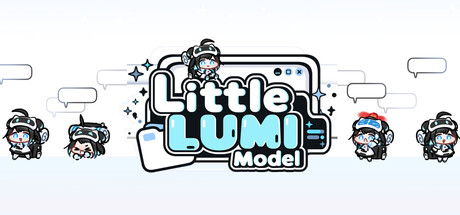
Lumi moves onto your desktop and stays there. She walks your taskbar, climbs the window you are typing in, hangs from title bars and naps when nothing happens. Pat her head, turn on focus mode, let her shout your alarms, summon more Lumis, or grab new characters on the Workshop. All hand-drawn.
3recent developer posts shown belowSelected from the developer record, separately from press coverage. Announcements are not necessarily shipped patches.
Last successful news check: This is our collection date, not the date of the latest patch.
Newest in this record ·
Little LUMI Model 1.5.0 Update & Free LUMI Character Maker Now Available
From the recorded announcement
Your Own LUMI, Made from Your Own Art Turn your own drawings into your very own LUMI. The free DLC LUMI Character Maker is now available. Arrange frames from your PNG art and WAV sound effects, then set the time and anchor for each frame to build character animations. Preview them as you work, bring your finished…
Read more of this announcement
Your Own LUMI, Made from Your Own Art Turn your own drawings into your very own LUMI. The free DLC LUMI Character Maker is now available. Arrange frames from your PNG art and WAV sound effects, then set the time and anchor for each frame to build character animations. Preview them as you work, bring your finished character to your desktop in Little LUMI Model, or share it with others on Steam Workshop. You can also save your project and pick up where you left off at any time. Get LUMI Character Maker for free Requires Little LUMI Model. ■ New Features Manage characters In "Manage characters" on the "LUMI" tab in Settings, you can set summon candidates, how many appear at startup, and their stacking order on one screen. Checked characters become summon candidates, and you can set how many of each appear the next time you launch. Characters higher in the list appear in front on screen. Press "Save" to apply candidates, counts and order. Use "Summon one selected character" and "Send one away" to add or remove LUMIs on screen right away. Candidates, order and counts are kept for characters from mods that are turned off or waiting to be activated. Start and stop Broadcast mode from the tray Turn on "Show Start Broadcast mode in the tray menu" on the "Broadcast" tab in Settings to start and stop Broadcast mode directly from the tray icon menu. The menu shows the item that matches the current state. Turning the option off only hides the menu item; a broadcast in progress keeps running. Default: Off Alarm and Pomodoro notification sounds Under "Notification sounds" in the "Alarm"…
Fixes - Fixed an issue where Little LUMI failed to launch in some installation environments, such as exFAT external drives. - Fixed a startup error that occurred when files required for launch were located on different drives. If Little LUMI still does not launch after the update, before launching it again, press…
Read more of this announcement
Fixes - Fixed an issue where Little LUMI failed to launch in some installation environments, such as exFAT external drives. - Fixed a startup error that occurred when files required for launch were located on different drives. If Little LUMI still does not launch after the update, before launching it again, press Win+R, enter %TEMP%, keep a copy of the littlelumi_launch.log file, and send it to ai.init.alpha@gmail.com.
■ New Features More “Chat” conversations LUMI characters now have many more new “Chat” conversations with each other. Available in Korean, English, Japanese, Simplified Chinese and Traditional Chinese. Character summoning You can now set summon candidates and the number of characters that appear at startup separately…
Read more of this announcement
■ New Features More “Chat” conversations LUMI characters now have many more new “Chat” conversations with each other. Available in Korean, English, Japanese, Simplified Chinese and Traditional Chinese. Character summoning You can now set summon candidates and the number of characters that appear at startup separately on the “LUMI” tab in Settings. Characters selected in “Choose Character” become summon candidates. Changing the candidates does not affect characters already on screen. Set a “Number at startup” for each character in “Summon characters”, and that many will appear from the next launch. Use “Summon one selected character” to instantly summon one more of the character you want. Broadcast layout On the “Broadcast” tab, you can now bring LUMI and Bongo LUMI into OBS separately and adjust their positions. Use “Copy character source” and “Copy Bongo source” to add each to a different browser source. Choose what the existing address shows in “Default source”. Use “Move characters” and “Move Bongo” to move them pixel by pixel on the broadcast screen, and “Reset positions” to restore them. LUMI's position on the desktop does not change. The “Behaviour” and “Broadcast” tabs now show which behavior settings you are editing (Normal mode/Broadcast mode), and “Open behavior settings” takes you straight there. Restart A “Restart” option has been added to the tray menu and the Settings window so you can restart Little LUMI right away. Select it at any time from the tray menu, just above “Quit”. While mod changes are waiting to be applied, “Restart” also appears at the bottom…
98.5% of 677 Steam reviews are positive, which after adjusting for sample size gives a reception score of 97.3. The developers have shipped 6 substantial updates in the past six months, adding 1.9.
reception 97.3·support +1.9·Exceptional
Computed from Steam’s own review tally and observable developer activity — never from anyone’s opinion of the game. How this is calculated
Should you look into this?
From Steam's own record
Current price
$3.99
Development
Actively supported
Last heard from developers
7 days ago
Historical posting rhythm
every ~2 days
Substantial updates (6 mo)
6
Current silence
4× normal
The developers post roughly every 2 days and were last heard 7 days ago — within their normal range. 6 substantial updates recorded in the past six months, 1 classified as major.
Last successful news check: Oct 17, 2026, 2:01 PM UTC. This is when we checked Steam, separate from when the developer last posted.
Before buying, confirm the edition, Steam activation and availability in your region. Search results may include DLC or other editions.
Distilled by the oracle
Our coverage
1 dispatch written from this game’s announcements
patchSep 8, 2026
Little LUMI Model 1.2.1 Adds Keyboard Mod Controls and Hand Poses for Super Bongo
Version 1.2.1 of Little LUMI Model, published on 7 September 2026, lands with two headline additions and a substantial sweep of bug corrections.
What changed
New features:
Numeric mod settings can now be adjusted via keyboard — arrow keys move values one step at a time, Page Up/Down move by ten, and Home/End jump to minimum or maximum. Values can also be typed directly into the number field and confirmed with Enter.
The "Little LUMI" appearance in the Workshop "Super Bongo" mod now displays matching hand poses for specific key presses: Q, W, E, R, A, S, D, F, and Space each have a distinct pose. Both the main app and the Super Bongo mod require updating to use this.
Bug fixes include:
LUMI no longer makes repeated small hops after landing on a window edge obscured by another window.
Multi-character LUMI conversations no longer stop after the first line when a Voice pack is in use.
Bongo LUMI no longer reacts as though a key was pressed when the mouse moves or hits a screen edge.
Extra keyboard-typing animations on Bongo LUMI after mouse wheel or button use are resolved.
Broadcast mode now correctly retains manually entered screen sizes across repeated changes, and background colors no longer revert after a restart.
Workshop uploads can now be retried after a failed start.
Plugin cleanup after a failed start no longer leaves functions active or interferes with other plugins.
Taken together, the patch tightens both the modding interface and the desktop-companion behavior that the application is built around.
Keep exploring
Related games
Games and expansions with a shared developer or genres. Follow a connection to explore its update history.
Your Own LUMI, Made from Your Own Art Turn your own drawings into your very own LUMI. The free DLC LUMI Character Maker is now available. Arrange frames from your PNG art and WAV sound effects, then set the time and anchor for each frame to…
Fixes - Fixed an issue where Little LUMI failed to launch in some installation environments, such as exFAT external drives. - Fixed a startup error that occurred when files required for launch were located on different drives. If Little LUM…
■ New Features More “Chat” conversations LUMI characters now have many more new “Chat” conversations with each other. Available in Korean, English, Japanese, Simplified Chinese and Traditional Chinese. Character summoning You can now set su…
Hello from Studio LUMI! Little LUMI Model has reached 30,000 downloads! Thank you for welcoming Lumi onto your desktops and spending time with her. To share this happy milestone with you, we've prepared a special illustration. We'll keep wo…
This hotfix addresses issues with running mods and starting LUMI that occurred after the 1.3.0 update. ■ Bug Fixes Fixed an issue where mods would not run in some Windows environments after updating to 1.3.0. Fixed an issue where LUMI would…
We have released a mod creation toolkit (SDK) that lets you add or modify features in Little LUMI Model to suit your needs. You can make LUMI react to clicks, petting, and alarms, or add dialogue, menus, and shortcuts. You can also create m…
To use the LUMI Chat changes, please update both the main app and the LUMI Chat mod. ■ New Features Game mode 「Game mode」 has been added, letting you play games or work on other tasks while keeping LUMI on your screen. Clicks on LUMI, Bongo…
■ New Features Numeric mod settings Numeric mod settings can now be adjusted with the keyboard or entered directly. Use the arrow keys to adjust the value by one step, or Page Up and Page Down to adjust it by ten steps. Use Home and End to …
New Features Mod Support and Management Improvements Mods can now add new behaviors and features, and the “Mods” tab in Settings has been improved so you can manage them all in one place. Modding now supports file-based changes in addition …
■ New Features▶ Broadcast modeA "Broadcast mode" feature has been added so you can send LUMI to OBS. Press "Start Broadcast mode" on the "Broadcast" tab in Settings and LUMI leaves the desktop to live inside a dedicated window, and that win…