Keeb Quest Settings Update Adds Backspace Correction and On-Screen Keyboard Guide
A focused quality-of-life patch gives typists finer control over how errors are handled and how the game teaches finger placement.
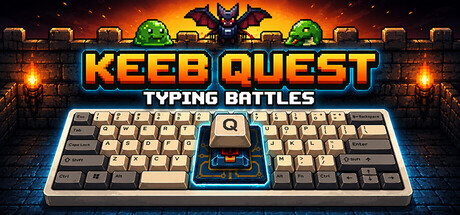
The July 21 Settings Update for Keeb Quest: Typing Battles is built around a single principle: let players shape their own experience without interrupting a session.
What changed
Pause Menu – Quick Settings
- The pause screen (ESC) now surfaces a Quick Settings menu across all modes, allowing adjustments to appearance, typing behavior, and UI options without leaving the current session.
Adventure Mode – Backspace Correction
- A new typo mode is available in adventure stories. With Backspace Correction enabled, typos are highlighted in red and block progression until corrected with the backspace key.
Adventure Mode – On-Screen Keyboard Guide
- An on-screen keyboard now appears in adventure mode with four configurable levels: Off, React (shows what was typed), Next (shows the required key), and Next with Guide (adds a hand-placement overlay indicating which finger to use).
Academy
- Players can now toggle on-screen keyboard modes within Academy.
Classic Mode
- New options to disable typo animations and score animations.
General
- The main menu enemy rotation now cycles through all enemies rather than only slime, goblin, and bat.
Taken together, the update meaningfully lowers the barrier for learners through guided finger coaching while giving experienced players cleaner, distraction-free interfaces — a rare patch that serves both ends of the skill spectrum.
Distilled from 1 source
Ask the oracle to go deeper on Keeb Quest: Typing Battles.
Consult the OracleGet this coverage inside Steam itself
Follow The Arcane Oracle and our verdicts on Keeb Quest: Typing Battles and games like it surface on the store pages you already browse.
More from the Chronicle